
Скриншоты


Сведения о приложении
- Версия
- 3.0.0.4 | 2.7.4
- Размер
- 10.50 MB
- Обновлено
- October 28, 2024
- Требуется
- Windows 2003
- Язык
- English | German | Polish | Portuguese |...
- Лицензия
- Free
- Разработчик
- Recode Media
- Категория
- Windows OS
SoftPas на:
Этот продукт также доступен на следующих языках:
О Codec Pack
Скачать X Codec Pack – легкое решение кодеков для Windows, бесплатно и безопасно
Обзор
X Codec Pack – это специально созданный набор кодеков, предназначенный для ПК под управлением Windows от эпохи Windows 2000 до самых новых сборок Windows 11. В отличие от многих «мега‑кодек» установщиков, которые заполняют систему десятками редко используемых фильтров, X Codec Pack сосредоточен на шести самых востребованных кодеках: XviD, FFDShow, AC3Filter, VSFilter, MediaInfo и Media Player Classic – Home Cinema (MPC‑HC). Философия пакета проста: дать вам именно то, что нужно для воспроизведения большинства видео‑ и аудиоформатов без лишнего «веса», без сложного пользовательского интерфейса и без риска дестабилизации системы. После установки новые фильтры активируются сразу, позволяя любому медиаплееру, использующему DirectShow или VFW (Video for Windows), декодировать контент мгновенно. Поскольку отдельной панели управления X Codec Pack нет, настройки выполняются через собственный интерфейс каждого кодека, удобно размещённый в специальной папке меню «Пуск». Такой подход «без вмешательства» делает пакет идеальным для пользователей, желающих «установить‑и‑забыть», а также для продвинутых пользователей, которым нравится тонко настраивать параметры каждого фильтра. Независимо от того, устраняете ли вы ошибки воспроизведения, конвертируете видеофайлы или просто хотите обеспечить плавный просмотр DVD, Blu‑ray и онлайн‑стримов, X Codec Pack выступает первой линией защиты от проблем, связанных с кодеками.
Основные функции и преимущества
- Selective codec set: Only the most popular codecs (XviD, FFDShow, AC3Filter, VSFilter, MediaInfo, MPC‑HC) are installed, keeping the system lean.
- Zero‑bloat installation: No unnecessary filters, no extra DLLs, and no hidden services that slow down Windows.
- Instant activation: All codecs register with the system as soon as the installer finishes, eliminating the need for a reboot.
- Standalone configuration tools: Each codec’s settings are accessible from the Start‑Menu shortcuts, allowing precise adjustments without a central UI.
- Broad format support: Handles AVI, MP4, MKV, FLV, WMV, MPEG‑2, MPEG‑4, H.264, XviD, DivX, MP3, AC‑3, DTS, and many subtitle formats via VSFilter.
- Secure and trustworthy: Digitally signed installer, no adware, and the package is regularly updated to patch security vulnerabilities.
- Easy removal: An uninstaller script cleansly removes all components, restoring the system to its pre‑install state.
- Compatibility with popular players: Works seamlessly with Windows Media Player, VLC, Media Player Classic, PotPlayer, and any DirectShow‑based player.
- Free of charge: Fully functional without any hidden fees or premium tiers.
Установка, использование и совместимость
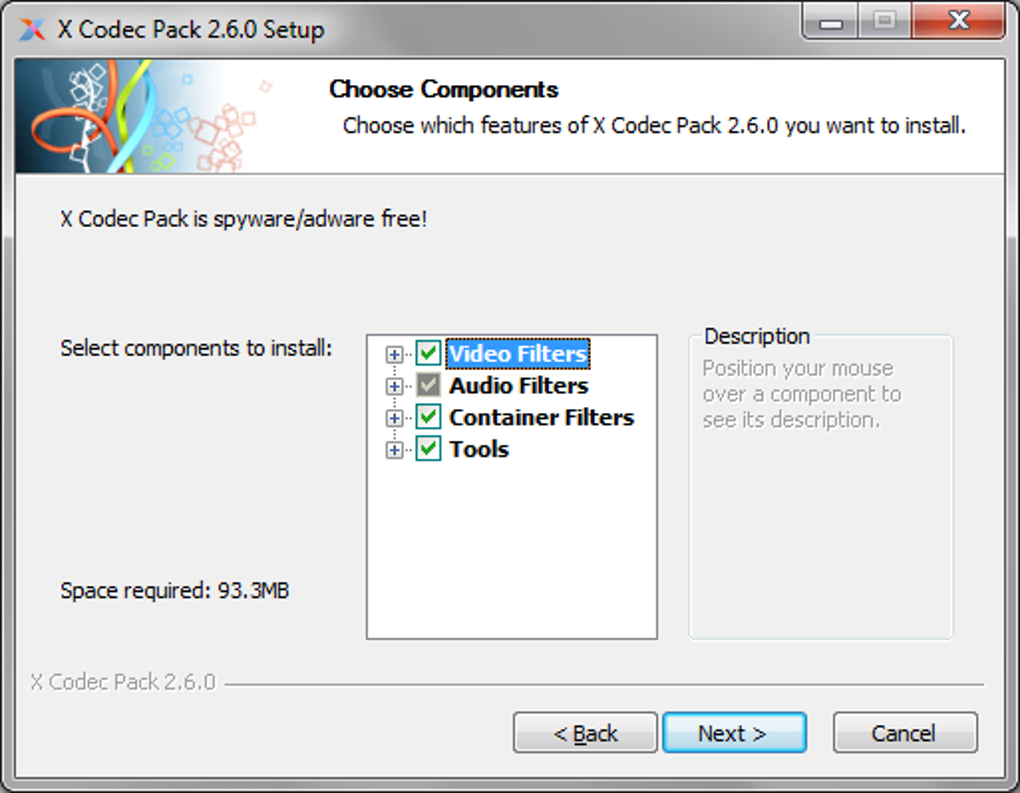
Installing X Codec Pack is intentionally straightforward. After downloading the executable (typically a .exe file under 3 MB), double‑click to launch the wizard. The installer presents three core steps: license agreement, component selection, and installation path. Because the pack only contains the essential six codecs, the component screen is already pre‑checked; however, power users can deselect any codec they deem unnecessary. The default installation folder is C:\Program Files (x86)\X Codec Pack, but it can be changed to suit corporate policies or drive‑space constraints. Once the “Install” button is pressed, the installer copies the necessary DLLs, registers them with Windows’ DirectShow filter graph, and creates a Start‑Menu folder titled “X Codec Pack” containing shortcuts to each codec’s configuration utility.
After installation, no reboot is required—though a quick restart of any open media player ensures it picks up the new filters. To verify that the codecs are active, open MediaInfo from the Start‑Menu and load a video file; you’ll see detailed stream information confirming that FFDShow, XviD, and AC3Filter are handling the video, audio, and subtitle tracks respectively. For fine‑tuning, each codec’s shortcut opens a dedicated UI: FFDShow offers an extensive range of video filters (de‑interlacing, sharpening, denoise), AC3Filter provides a simple equaliser for audio, and VSFilter lets you adjust subtitle fonts, colors, and positioning.
Compatibility: X Codec Pack officially supports Windows 2000, XP, Vista, 7, 8, 8.1, 10, and 11 (both 32‑bit and 64‑bit editions). Because it relies on the classic DirectShow architecture, it works flawlessly on legacy hardware and on modern systems alike. The pack does not require .NET Framework or any additional runtime, making it ideal for low‑spec machines or locked‑down corporate environments. While the codecs are Windows‑centric, the underlying formats (e.g., H.264, MP3, AC‑3) are universally recognized, meaning that media files prepared with X Codec Pack will play on macOS, Android, or iOS devices when streamed or transcoded via third‑party tools.
Плюсы, минусы и часто задаваемые вопросы
Плюсы
- Lightweight footprint – only essential codecs are installed.
- Free of adware, spyware, or hidden fees.
- Instant activation; no reboot required.
- Simple uninstaller restores the system cleanly.
- Regular updates keep AC3Filter and other components secure.
- Works with a wide range of media players.
Минусы
- No unified graphical interface; users must adjust each codec separately.
- Limited to Windows; no native macOS or Linux package.
- Advanced users may miss some niche codecs (e.g., VP9, HEVC) that are not included.
Frequently Asked Questions
Is X Codec Pack really free?
Yes, X Codec Pack is 100 % free. There are no hidden costs, premium versions, or bundled software that require payment.
Will installing X Codec Pack affect my existing codecs?
The installer registers the new codecs with higher priority, but it does not remove existing ones. If you encounter conflicts, you can manually adjust the filter order using tools like GraphEdit or simply uninstall the unwanted codecs.
Can I use X Codec Pack on a Windows 10 laptop that already has Media Player Classic installed?
Absolutely. X Codec Pack is designed to complement MPC‑HC by providing the underlying filters (XviD, FFDShow, etc.) that MPC‑HC relies on for decoding. After installation, MPC‑HC will automatically use the new codecs without any extra configuration.
How do I remove X Codec Pack if I no longer need it?
The package includes an uninstaller accessible via Control Panel → Programs & Features or directly from the Start‑Menu folder. Running the uninstaller will deregister all installed filters and delete the program files.
Does X Codec Pack receive regular updates?
Yes. The development team releases updates whenever a new stable version of AC3Filter, FFDShow, or other included codecs becomes available, ensuring compatibility with the latest media formats and Windows security patches.
Заключение и призыв к действию
For Windows users who have grown weary of bloated codec installers and endless pop‑up dialogs, X Codec Pack offers a refreshingly minimalist solution. By concentrating on the six codecs that dominate everyday playback scenarios, it eliminates unnecessary system clutter while delivering reliable, high‑quality decoding for video, audio, and subtitles. The installer’s no‑frills approach means you spend less time configuring and more time watching your favorite movies and series. Moreover, the free price tag and regular security‑focused updates make it an attractive choice for both home users and IT professionals seeking a dependable baseline codec suite.
If you’ve experienced stuttering video, missing audio tracks, or unreadable subtitles, give X Codec Pack a try. Download the installer, run the quick setup, and let the codecs work their magic. Should you later need fine‑grained control, the individual configuration tools are just a click away. In short, X Codec Pack is the practical, secure, and cost‑free first step toward flawless media playback on any Windows machine.
Ready to eliminate codec headaches? Download X Codec Pack now and experience smooth, hassle‑free video playback today.
X Codec Pack delivers exactly what its name promises – a lightweight, effective codec suite for Windows. The lack of a central UI might deter beginners, but the trade‑off is a clean system free of unnecessary files. Overall, it’s a solid choice for anyone looking to resolve playback issues without paying for a commercial solution.
Руководства и уроки
Как установить Codec Pack
- Нажмите кнопку Скачать выше.
- После перенаправления примите условия и нажмите Установить.
- Дождитесь завершения загрузки Codec Pack на ваше устройство.
Как использовать Codec Pack
Это ПО в основном используется для основных функций, описанных выше. Откройте приложение после установки, чтобы изучить его возможности.
Отзывы пользователей
Отзывов пока нет. Поделитесь своим опытом первым.
Вам также может понравиться
еще
Llama 2
Free-to-use large language model As the new addition to Meta’s arsenal of langua...

NotebookLM
Revolutionizing the note-taking and idea-generation process NotebookLM is an exp...

Github co pilot
AI-inspired software development and coding platform GitHub Copilot is a browser...

Google Gemma
Google’s lightweight AI models Introducing Google Gemma , a family of cutting-ed...

AI Image Enlarger
A free app for Windows, by ai-image-larger. AI Image Enlarger is a free software...

DALL E
AI-driven text-to-image transformation engine DALL·E is a free graphic and desig...